
You own the keys. That’s the promise of Bitcoin. But it’s also the trap. Unlike a bank account where you can click “forgot password” and get your money back, losing access to your Bitcoin is a decentralized digital currency that relies on private cryptographic keys for ownership and transaction authorization means it’s gone forever. The same goes if someone else gets those keys.
The blockchain itself hasn’t been hacked. Not once. The code is solid. The problem isn’t the technology; it’s us. Human error, phishing scams, and lazy habits are responsible for almost every loss you hear about. In August 2024, a user lost over $24,000 because their Google account was compromised, giving attackers access to their hot wallets. In October 2025, another person watched a $3 million retirement fund vanish after importing their seed phrase into a sketchy mobile app. These aren’t glitches. They’re preventable mistakes.
If you hold any amount of BTC, treating security as an afterthought is gambling. This guide cuts through the noise. We’ll look at how to set up real protection using cold storage, manage your seed phrases correctly, and build daily habits that keep hackers out. No fluff, just actionable steps based on current best practices from 2026.
Understanding the Threat: Why Your Device Is the Weak Link
To protect your coins, you need to understand where they actually live. Bitcoin doesn’t exist on your phone or computer. It lives on the blockchain, a public ledger. What you store locally are your private keys are cryptographic codes that prove ownership of Bitcoin and allow you to authorize transactions on the network. Think of them as the ultimate password. If anyone copies that key, they control the funds. If you lose it, so do you.
Most beginners start with hot wallets are software-based cryptocurrency wallets connected to the internet, optimized for frequent transactions but vulnerable to online attacks. These include exchange accounts (like Coinbase or Binance) and mobile apps. They’re convenient for buying, selling, or swapping small amounts. But being connected to the internet makes them targets. Malware, phishing sites, and server breaches are constant threats. A single weak password or a SIM-swap attack on your phone number can drain your balance in minutes.
This is why experts separate convenience from security. You wouldn’t leave your life savings in your front pocket while walking through a busy market. You’d put most of it in a safe deposit box and carry only what you need for lunch. Bitcoin works the same way. Hot wallets are for spending; cold storage is offline cryptocurrency storage methods that keep private keys disconnected from the internet to prevent remote hacking attempts is for saving.
Cold Storage vs. Hot Wallets: The Right Balance
The core strategy for protecting your BTC is compartmentalization. Don’t put all your eggs in one basket, especially not in a basket connected to Wi-Fi.
| Feature | Cold Storage (Hardware/Paper) | Hot Wallets (Software/Exchange) |
|---|---|---|
| Internet Connection | None (Offline) | Always Connected |
| Security Level | High (Immune to remote hacks) | Low to Medium (Vulnerable to malware/phishing) |
| Best Use Case | Long-term holding (HODLing) | Daily trading, small purchases |
| Convenience | Low (Requires physical device) | High (Instant access via app) |
| Risk Factor | Physical loss/damage | Hacking, phishing, exchange bankruptcy |
A common rule of thumb among seasoned holders is the 90/10 split. Keep 90% of your Bitcoin in cold storage-hardware wallets or secure offline backups-and keep only 10% in hot wallets for active use. This limits your exposure. If your laptop gets infected with ransomware or your exchange gets hacked, you’ve only lost a fraction of your portfolio, not everything.
Choosing the Right Hardware Wallet
Hardware wallets are physical devices designed to store cryptocurrency private keys offline, providing high security against online theft are the gold standard for cold storage. They generate and store your keys internally, never exposing them to the internet. When you want to send Bitcoin, the transaction is signed inside the device, and only the signed data is sent out.
In 2026, several brands dominate the market, each with different strengths:
- Ledger: Known for user-friendly interfaces and broad coin support. Good for beginners who hold multiple assets.
- Trezor: Offers open-source firmware, which allows developers to audit the code for security flaws. A trusted choice for transparency advocates.
- Coldcard: A Bitcoin-only wallet with an air-gapped design. It never connects to the internet via USB or Bluetooth. Transactions are signed using QR codes. Ideal for serious BTC maximalists who want maximum isolation.
- GridPlus: Provides modular options, including ruggedized models for harsh environments.
Crucially, always buy directly from the manufacturer. Buying from third-party resellers like Amazon or eBay carries a risk of receiving tampered devices. Attackers have been known to pre-load stolen seed phrases onto cheap clones. If you buy from the official site, you ensure the device generates a truly random seed upon first setup.
The Seed Phrase: Your Ultimate Backup
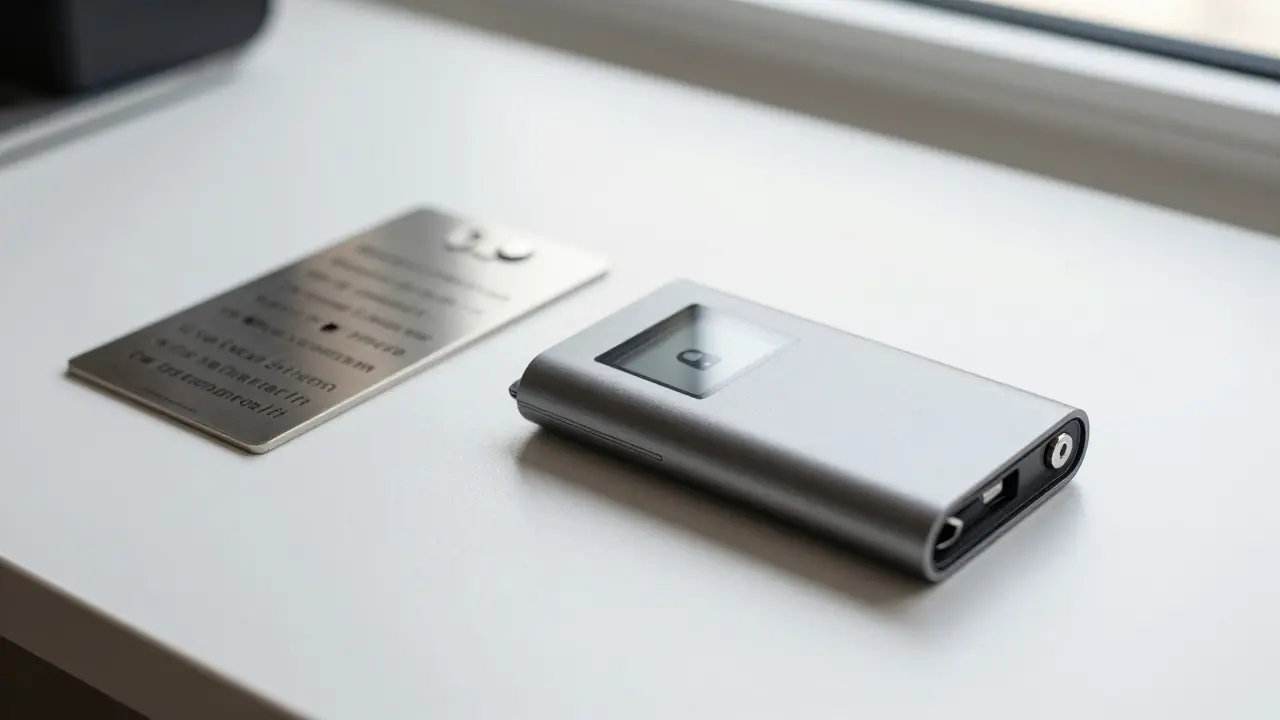
When you set up a hardware wallet, it gives you a seed phrase is a list of 12 or 24 words generated by a wallet that serves as the master key to recover all associated cryptocurrency addresses. Usually 12 or 24 words long, this phrase is the mathematical root of your entire wallet. If your device breaks, gets lost, or is stolen, this phrase is the only way to get your Bitcoin back.
Treating your seed phrase incorrectly is the #1 cause of irreversible loss. Here is how to handle it properly:
- Write it down immediately. Do not take a photo. Do not type it into a notes app. Do not save it in a cloud document. Any digital trace can be hacked.
- Use durable materials. Paper burns and rots. Consider using steel backup plates (like Cryptosteel or Billfodl) that are fireproof, waterproof, and crushproof. They cost extra but provide peace of mind for decades.
- Store it offline. Keep the written phrase in a secure location, such as a home safe or a safety deposit box. Some people split the phrase between two trusted family members, but this adds complexity and risk of disagreement later.
- Never share it. No legitimate company, support agent, or government official will ever ask for your seed phrase. If someone asks, it’s a scam.
Avoid complex DIY schemes like cutting the phrase into puzzle pieces or hiding parts in different locations unless you fully understand the risks. Human error often leads to misplacing a piece or forgetting the order. Simplicity wins. Write it clearly, store it safely, and test the recovery process once before storing large amounts.
Authentication and Operational Hygiene
Your hardware wallet is strong, but your computer and email might not be. Attackers often target the weakest link in your chain. Strengthening these areas is essential.
Password Management: Use unique, complex passwords for every crypto-related account. Reusing passwords across exchanges, email, and social media is dangerous. If one site leaks data, hackers try those credentials everywhere. Use a reputable password manager like Bitwarden or 1Password to generate and store random strings of characters.
Two-Factor Authentication (2FA): Enable 2FA on all exchanges and email accounts. However, avoid SMS-based 2FA. Phone numbers can be hijacked through SIM-swapping attacks, where criminals trick your carrier into transferring your number to their device. Instead, use an authenticator app like Google Authenticator, Authy, or Microsoft Authenticator. Even better, use a hardware security key like YubiKey for critical accounts.
Device Security: Keep your operating system, browser, and antivirus software updated. Outdated software contains known vulnerabilities that malware exploits. Avoid using public Wi-Fi when accessing your wallets. If you must, use a trusted VPN to encrypt your traffic. Install browser extensions that block known phishing domains.
Multi-Signature Wallets: Adding Another Layer
For larger holdings or joint accounts, consider a multi-signature wallet is a Bitcoin wallet configuration that requires two or more private keys to authorize a single transaction, enhancing security through redundancy. A standard wallet uses a 1-of-1 signature (one key needed). A multi-sig setup, such as 2-of-3, requires two out of three designated keys to sign a transaction.
This means even if one key is compromised or one device is lost, your funds remain safe. You could store one key on a hardware wallet, another on a paper backup in a safe, and the third on a device kept in a different city. To move funds, you need access to at least two. This is widely used by institutions and increasingly adopted by individuals seeking enterprise-grade security without relying on a custodian.
Practical Steps to Secure Your Bitcoin Today
Don’t overwhelm yourself. Start with these concrete actions:
- Buy a hardware wallet directly from the manufacturer.
- Set it up in a clean environment (updated OS, no malware).
- Write down the seed phrase on paper or metal. Verify each word carefully.
- Transfer your long-term holdings from exchanges to your new cold wallet address.
- Test the backup by wiping the device and restoring it from the seed phrase. Ensure you can access your funds. Only then load significant amounts.
- Enable 2FA on your email and exchange accounts using an authenticator app.
- Educate yourself on phishing tactics. Always bookmark official URLs and verify domain names before entering credentials.
Security isn’t a product you buy; it’s a habit you build. Stay vigilant, keep your keys offline, and remember: if it sounds too good to be true, it probably is.
Is it safe to store Bitcoin on an exchange?
Storing Bitcoin on an exchange is convenient but risky. Exchanges are centralized targets for hackers and can face bankruptcy or regulatory shutdowns. While many are insured, coverage often has limits or exclusions. For long-term holdings, self-custody via a hardware wallet is significantly safer because you control the private keys directly.
What happens if I lose my hardware wallet?
If you lose your hardware wallet, your Bitcoin is not lost. As long as you have your seed phrase, you can restore your wallet on a new device. The seed phrase is the master key. Keep it stored securely offline, and you can recover your funds anywhere.
Can I split my seed phrase into parts?
Technically yes, but it’s generally discouraged for average users. Splitting increases the risk of human error, such as losing a part or misremembering the order. Unless you use advanced cryptographic sharding tools correctly, simple offline storage of the full phrase on durable media is safer and more reliable.
Why should I avoid SMS for 2FA?
SMS-based 2FA is vulnerable to SIM-swapping attacks, where fraudsters convince your mobile carrier to transfer your phone number to their device. Once they control your number, they can intercept verification codes and bypass 2FA. Authenticator apps or hardware keys are much more secure because they don’t rely on the cellular network.
How do I know if a hardware wallet is counterfeit?
Only purchase hardware wallets directly from the official manufacturer’s website. Counterfeit devices sold on third-party platforms may come pre-loaded with attacker-controlled seed phrases. Check packaging seals, verify serial numbers if applicable, and ensure the device generates a new random seed during initial setup rather than displaying a pre-printed one.
10 Responses
omg you guys really think writing your seed phrase on paper is safe lol. my grandma writes her passwords on sticky notes and they still get hacked so what makes you special? its all about the mindset not the tech
Let us be clear that this article provides a superficial overview of cryptographic security protocols that would make any serious blockchain engineer cringe in embarrassment. The concept of 'cold storage' is rudimentary at best and fails to address the nuanced vulnerabilities associated with quantum-resistant algorithms which are already being tested by major institutions. Furthermore, the suggestion to use steel plates for seed phrase storage is an amateurish approach when one could easily implement Shamir's Secret Sharing scheme across multiple geographically dispersed locations with air-gapped devices. I have personally audited several multi-signature setups for high-net-worth individuals in Mumbai and can attest that relying solely on a hardware wallet without implementing robust operational security measures such as regular key rotation and zero-knowledge proof verification is tantamount to financial suicide. You must understand that the threat landscape evolves daily and what was secure yesterday may be compromised tomorrow due to advancements in side-channel attacks or firmware exploits that are not covered in this basic guide.
U r wrong. Cold wallets r trash. Just keep it on exchange. If u lose keys u r screwed anyway. Why bother?
The moral decay of society is evident in how casually we discuss the hoarding of digital wealth while ignoring the systemic inequalities that plague our world. Bitcoin is merely a mirror reflecting our own greed and paranoia. We build these elaborate fortresses of code and metal to protect numbers that exist only in the ether, forgetting that true security comes from community and trust, not isolation. It is tragic that we must resort to such paranoid measures to safeguard our assets, indicating a profound failure of social contract. The drama of losing one's keys is but a small tragedy compared to the loss of human connection in this digital age.
I completely understand why people feel overwhelmed by all this technical jargon because it can seem like an insurmountable barrier to entry for those who just want to save their money safely without having to become cybersecurity experts overnight, and I really appreciate that this guide tries to break it down into manageable steps even though some parts might still feel a bit confusing if you don't have a background in technology or finance, so please remember that it is okay to take your time and learn at your own pace because rushing into setting up cold storage without fully understanding the implications could lead to costly mistakes that are hard to reverse, and I always recommend starting with small amounts first so you can practice the process of transferring funds and verifying backups without putting your entire life savings at risk while you build confidence in your ability to manage these tools securely and effectively over time.
Hey everyone i just wanted to chime in here because i recently switched from using a ledger to a coldcard after reading some stuff online and honestly it was a bit of a pain at first getting used to the qr codes instead of plugging it in via usb but now i feel much safer knowing that my device never touches the internet directly. i know some people say it is too complicated for beginners but if you take the time to watch a few tutorials it really clicks and gives you that extra peace of mind especially when you are holding significant amounts of btc. also dont forget to buy directly from the manufacturer like the post says because i saw a guy on ebay selling them for cheap and that seems sketchy af. anyway just thought i would share my experience since i see a lot of newbies asking about which wallet to get.
It is absolutely crucial that we recognize the cultural shift towards self-sovereignty that Bitcoin represents, moving away from centralized banking systems that have historically marginalized certain communities. This guide serves as a vital educational tool for empowering individuals to take control of their financial destiny. However, we must also acknowledge the dramatic emotional toll that the fear of loss can take on holders, often leading to anxiety and sleepless nights. By adopting these security practices, we are not just protecting our assets; we are asserting our independence and dignity in a digital world that often seeks to exploit our vulnerabilities. Let us stand together in solidarity, sharing knowledge and supporting each other as we navigate this complex landscape of decentralized finance.
Oh look, another article telling us to write down words on paper like we are in the stone age. How quaint. Meanwhile, I am sitting here in Cape Town watching the grid fail and wondering if my steel plate will survive a looting spree better than a bank vault. Your advice is fine for people living in bubble-wrap suburbs but real security involves physical safety too. Don't forget that.
i wonder if anyone has actually tried splitting their seed phrase between family members and how that worked out long term
Michael here. I must emphasize the importance of testing your backup immediately after setup. Many users skip this step assuming their memory is perfect or their writing is clear, but errors do occur. Please verify every single word against the device display before storing your seed phrase in its final location. This simple action can prevent catastrophic loss later. Stay disciplined and prioritize security above convenience.